
From Zero to Project: Real Apps. Real Steps. Real Results. Not a Lecture in Sight
- Full Stack Basics
- Oct 25, 2025
- 6 min read

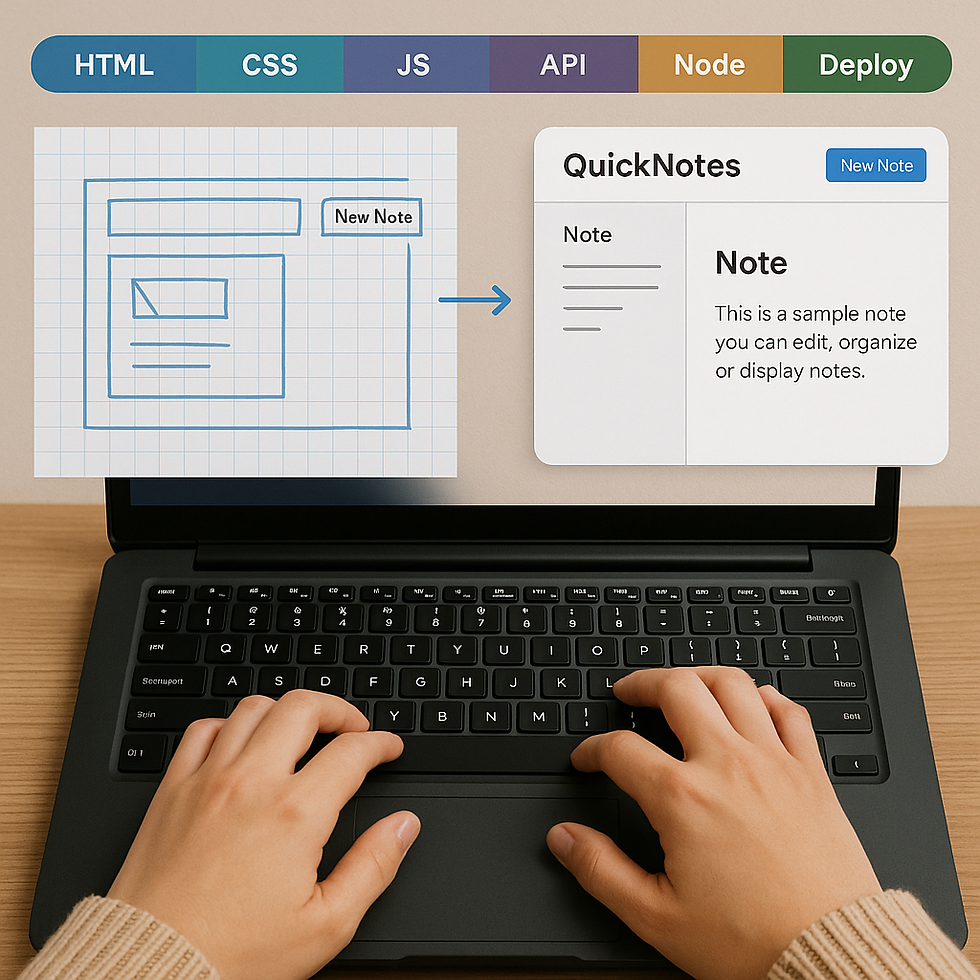
Tired of tutorials that walk you halfway and then fade into a “good luck!” message? Or those “zero to mastery in 7 days” marketing stunts that make you feel like a failure by day three? Me too. Let’s skip the fluff and actually build something. In this post, I’ll walk you through 7 concrete stages to take you from absolute zero to a working full-stack app. You won’t just learn theory — you’ll build along, messy bits and all.
(And yes, there will be sass. Because you deserve more than dry code.)
Your Sample App: The “QuickNotes” App
Before we dive in, let’s pick a small, manageable project to illustrate each step.
Here’s our app idea:
QuickNotes — a simple notes app where you can type and save notes, list all notes, view one note, and delete a note.
It’s humble, useful, and perfect for walking through each full-stack layer without drowning in complexity.
1. HTML — Structure First
At the HTML stage, you sketch out the bones of your UI. What pages (or views) do you need? For QuickNotes, you might need:
A “Home / list notes” page
A “New Note” form page
A “View Note” page
You’ll create basic HTML files (or templates): <header>, <main>, <form>, <ul> / <li> for note listings, etc. This is your wireframe turned into structure — no CSS, no fancy styling — just the skeleton. It’s boring, but it’s essential. If your structure is messy, everything you build on top will fight you.
2. CSS — Prettying It Up (Responsively)
Once your HTML works (clicking links, form fields present), it’s time for CSS. Here you add layout, colours, spacing, responsive behaviour. Use flexbox or grid to arrange your list of notes, style your buttons, make sure forms shrink on mobile, etc.
For QuickNotes, you might make a two-column layout on desktop (notes list on left, selected note on right) and a stacked layout on mobile. You might colour-code notes or highlight a selected note. This phase is where your app starts to feel “real” — you stop squinting at raw HTML and see something that looks like a product.
3. JavaScript (Client-side) — Interactions & DOM Magic
With HTML + CSS in place, you breathe life into the UI with JavaScript. Add:
Click handlers (e.g. “delete note” button)
Form submission intercepts (so the page doesn’t reload)
UI updates (e.g. remove a note from the list in the DOM)
Client-side validation
When you click “New Note,” the form should clear or reset. Click “delete,” and the note’s gone from view (pending backend). This is pure front-end logic: no server talk yet.
At the end of this step, your app feels interactive locally, even if there’s no persistence or backend yet.
4. API (REST / HTTP Endpoints) — The Bridge
Alright, now we build the bridge between front end and back end: the API. You’ll define endpoints like:
GET /api/notes → list all notes
POST /api/notes → create a new note
GET /api/notes/:id → get one note
DELETE /api/notes/:id → delete a note
You implement the handlers (in Node or whatever backend you’ll use) to receive JSON, parse it, and return JSON. For now, these handlers might use an in-memory array (just to test). The frontend JavaScript will call those endpoints (via fetch, axios, etc.) and use the responses to update its UI.
This is where you see your front and back talk — a pivotal moment. When you see your list coming from the API, you know you’re not doing a toy example — you’re building a real pipeline.
5. Node (Backend Logic / Server) — Business Rules & Routing
We move deeper. The Node layer is where your server lives, where your API endpoints route, where you enforce logic and error handling. You might:
Validate inputs
Handle typical errors or missing data
Structure code (controllers, middleware)
Add logging
At this phase you replace your in-memory array with a stubbed logic layer. Maybe you even add authentication later (though for QuickNotes you can skip that).
You now have a functioning Node server: it receives endpoints, processes them, uses logic, and returns JSON. The frontend and API connect, and your app can truly be used end-to-end (still without permanent storage).
6. Database — Persistence with Real Data
Now we plug in a real database. You might start with SQLite, PostgreSQL, or MongoDB depending on your stack. Add a model (e.g. notes table or collection). In your Node backend, swap out the in-memory store for real CRUD operations:
createNote(data) → insert row
getNotes() → select all
getNoteById(id) → select one
deleteNoteById(id) → delete
You’ll also add migrations or schema setups. Once this is wired up, anything you create persists across server restarts. The frontend, API, server, and DB are now talking and glued together. You have a true full-stack app (a working QuickNotes with persistent data).
7. Deploy — Share It with the World
Finally, you deploy! You might host:
Frontend + Node server on services like Vercel, Heroku, Fly.io, or a VPS
Database on a managed service (Heroku Postgres, MongoDB Atlas, etc.)
You’ll configure environment variables (DB URL, API secrets), set up a build pipeline (CI/CD), and push your code. Bonus: add domain, HTTPS, logging, and error alerts.
Once deployed, you can open your QuickNotes app from anywhere, on any device. You’ve gone from zero to real, full-stack, live. 🎉
How FSB Guides You In Real Time (Not Slides)
All too often, “courses” teach you theory and show slides, and you feel frozen trying to connect the dots when coding. At FSB, you build with me — in real time. No filler slides, no stylized jokes about “synergy.” You see every typo, bug, and the fix. You debug alongside me. You type code as I type code.
That transparency matters. You’ll see the messes (broken API, JSON issues, typos), the fixes, the thought process — so when you hit those on your own (and you will), you know exactly how to debug. By the end, you’re not just told how to build — you have built.
Plus: you get exposure to student builds, showing how different people interpret the same spec. One student’s QuickNotes app had tags and categories. Another added search. Another replaced SQLite with Mongo. Seeing what others build — and how they adapt — gives you confidence and ideas.
Sample Student Builds (Inspiration!)
Student A built QuickNotes but added a tagging feature — you can tag, filter by tag, and delete by tag.
Student B extended the UI with dark mode and responsive design tweaks.
Student C replaced the backend with serverless functions instead of a monolithic Node server.
Student D built a mobile-friendly PWA version with offline storage fallback (IndexedDB) when the API is unreachable.
These variations show you: once you have the base full-stack app, you can twist and expand however you like. That’s real skill.
Why Stop Chasing “Zero to Mastery” Marketing?
Let me be real with you: you don’t become a master in 7 days. You become a master through practice, grit, iteration, and build failures. The marketing hype that says “Learn everything in a week!” sets you up to quit when things get frustrating.
What you can do in 7 steps is go from zero to building something real. That’s powerful. Once you complete a project, something tangible sits in your portfolio. You learn how all the layers talk together. You build confidence.
After that, you repeat — build an e-commerce site, a chat app, a blog platform. You’ll never stop learning, but with each build you grow stronger.
Your Roadmap — TL;DR
Here’s the 7-phase path with QuickNotes as our running example:
Phase | What You Do | QuickNotes Example |
1. HTML | Build structure & templates | List, form, view pages, links |
2. CSS | Add layout, styling, responsive | Two-column layout, mobile view |
3. JS | Client-side behavior & DOM updatesu | Submit form, delete UI instantly |
4. API | Define REST endpoints & handlers | /api/notes, GET/POST/DELETE |
5. Node | Backend routing & logic | Validate, route, error handling |
6. DB | Persist data | Insert, query, delete notes table |
7. Deploy | Host frontend, backend, DB | Live app with domain, HTTPS, CI/CD |
At the end, you have a working full stack app — from zero to something sharable.
Final Thoughts
Don’t get distracted by flashy course marketing. Don’t wait until you feel “ready.” Start tiny. Build something small. Then rinse and repeat. That’s how mastery is built.
If HTML/CSS/JS feels shaky, power through it — these layers are the foundation. If your backend throws weird errors, great — debugging is part of the journey. And when all of it finally talks to the database and you can deploy — that moment is magic.
FSB isn’t about lectures or polished slides. It’s about doing. You’ll build in real time, make mistakes, see fixes, and graduate with a project you own. No fluff. No hype. Just real code, real learnings, and real momentum.
So — ready to go from zero to building your first full stack app? Let’s do this.



Comments